
Linnea: AI Food & Health Log
Note every day. Look after your family.
Snap, say or scan a meal and AI logs it in seconds, and every dish shows where its numbers come from. Log medications, water, sleep, vitals and lab reports too. Linnea syncs with Apple Health on iPhone and Health Connect on Android and keeps your family’s health in one place.
New in Linnea 3.0: start without an account, see how each dish is counted, log a meal for family too, and one family plan for everyone at home.



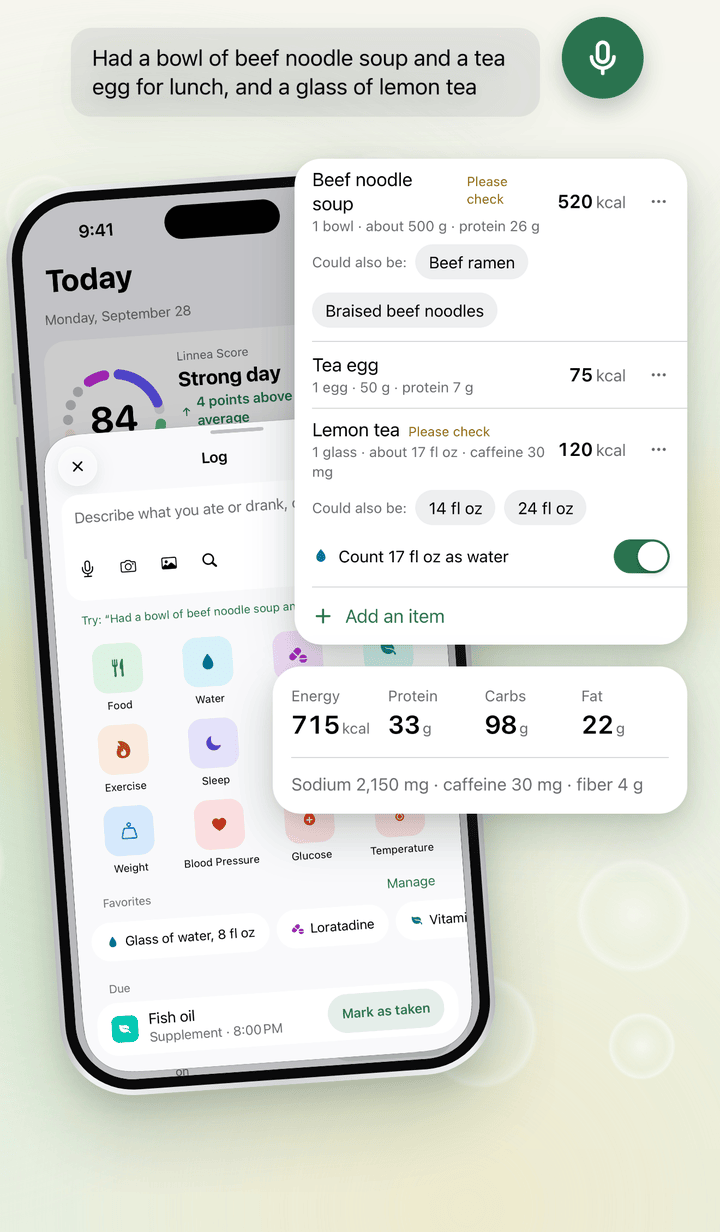
Log in seconds
Say it, snap it or type it, and AI turns it into items you check before saving. Meals and drinks, water, medications, supplements, workouts, sleep, mood, symptoms, weight, blood pressure, blood glucose and temperature all go in one place.
- On iPhone, log from widgets, Control Center, the Action button, Siri or a reminder; on Android, from an app shortcut, a Quick Settings tile or a reminder
- Start without an account: log, use AI recognition within the free daily limit and set reminders right away. Sign in later and what you logged comes with you.
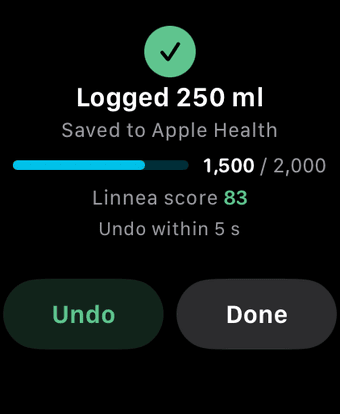
- Undo within five seconds
- Medication, supplement and water reminders show a fixed message such as “Time for your medication”, never a name or dose
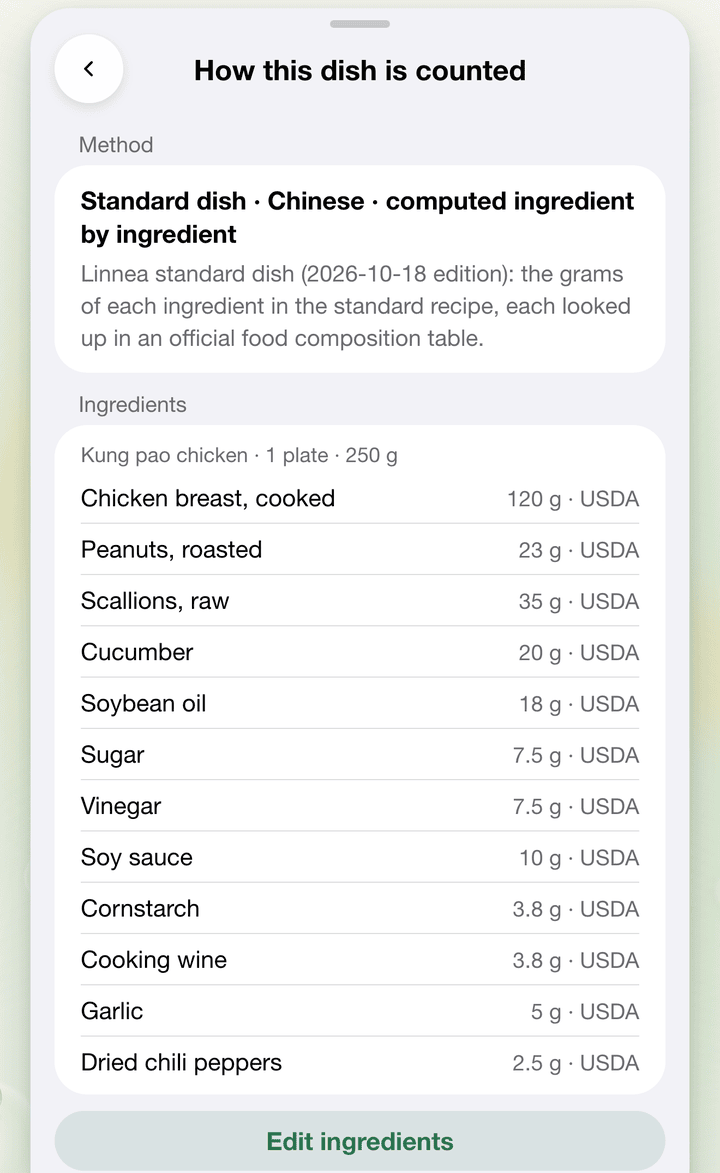
See where the numbers come from
Each dish you log carries a line that says how it was counted, such as “Standard dish · Chinese · computed ingredient by ingredient”. Tap the dish to see every ingredient with its grams and the official food composition table its values come from, and edit the ingredients when your recipe differs. About 1,400 Chinese home-style dishes are computed this way, alongside standard dishes from many other cuisines.
- Search shows each dish’s cuisine, and setup can ask which cuisines you usually eat
- A home recipe isn’t the standard one: more oil, less sugar, a bigger bowl. Change the grams before you save, or save your version once in “Our recipes”.
- Look up a dish on the web, with its ingredients and sources: Chinese dishes: calories and nutrition. How each figure was measured: Linnea, measured.
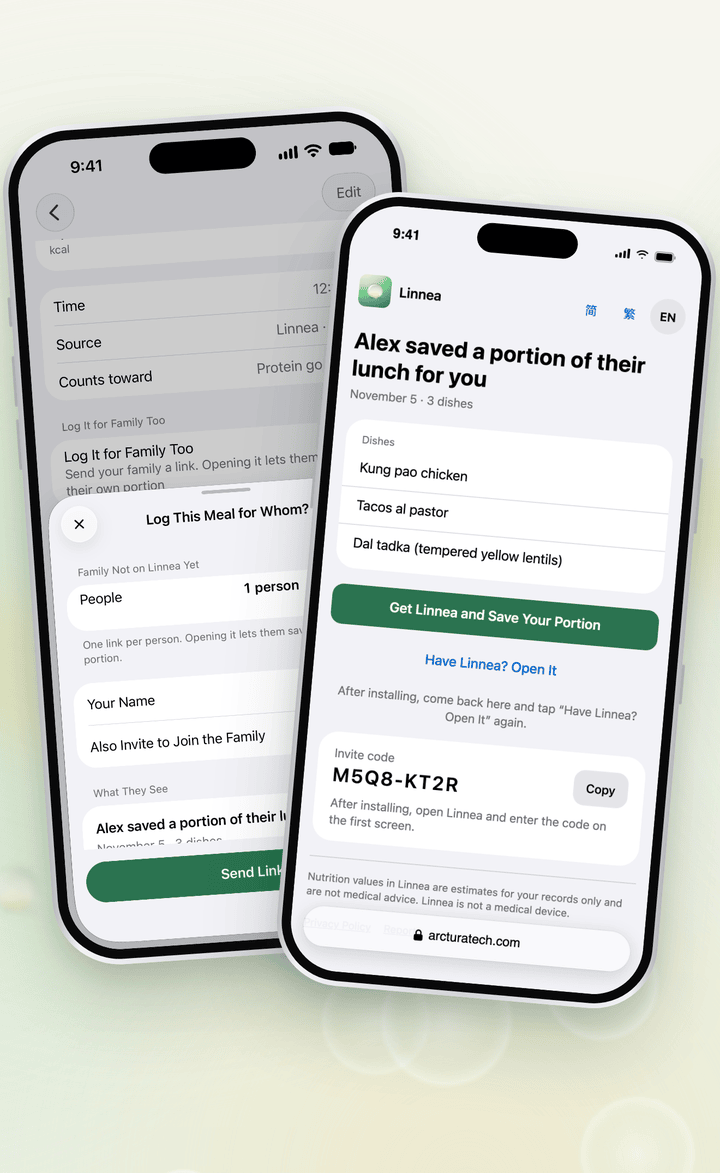
Log it for family too
Shared a meal with someone who isn’t on Linnea yet? From the saved meal, send them a link. They open it on their phone, see who logged it, which meal it was and the dish names, and save their own portion in the app, with no account needed. Family members already on Linnea get their share in the app.
- The page shows your name, the meal and the dishes, never any nutrition numbers. A link works for 7 days, can be claimed once, and you can withdraw it at any time.
- Share cards: share today’s meals or one meal as an image made on your phone. It shows food only, unless you add water or your score.
- Invite Friends: a friend who is new to Linnea and signs in with your code gets a month of Premium, and you get one after they log food on 3 days within 14, up to 5 a year. Gifted months don’t renew and need no payment method.
Deeply synced with Apple Health and Health Connect
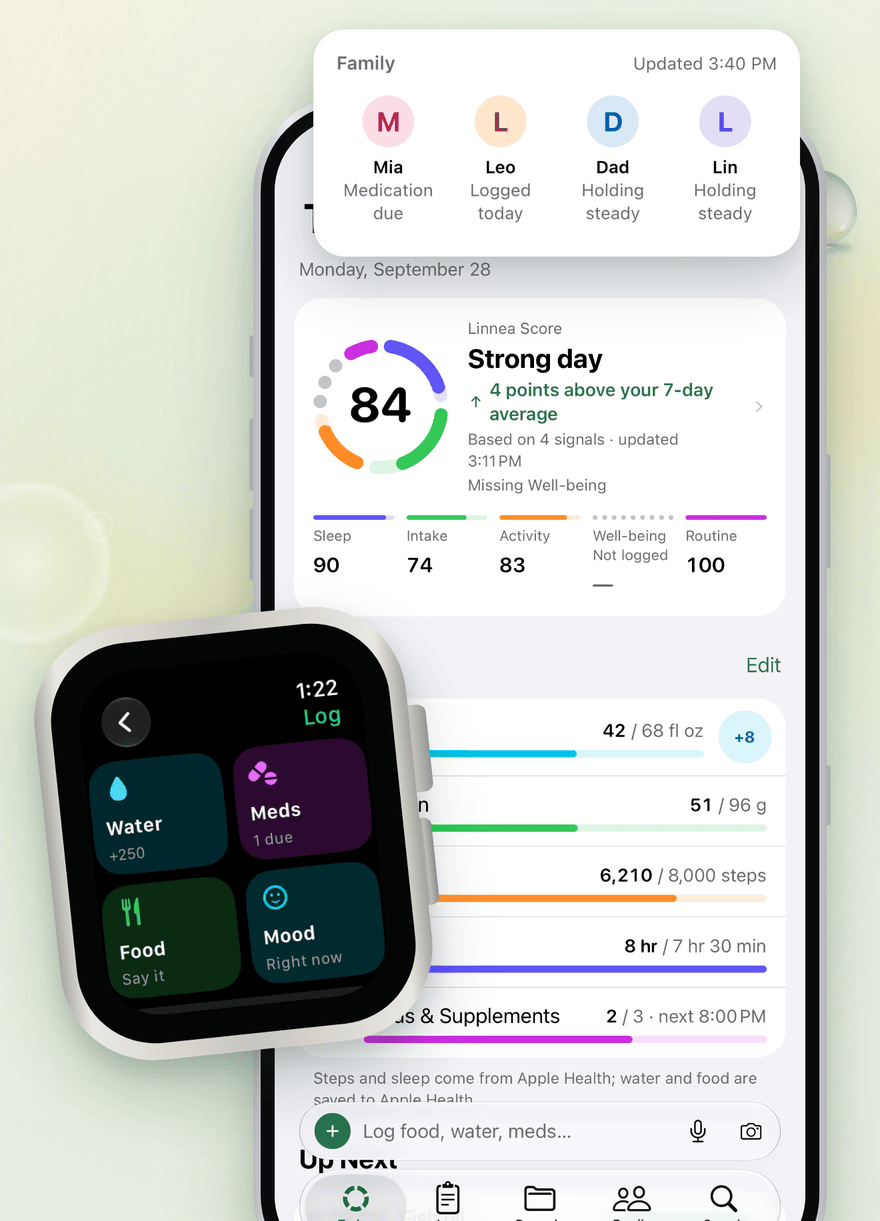
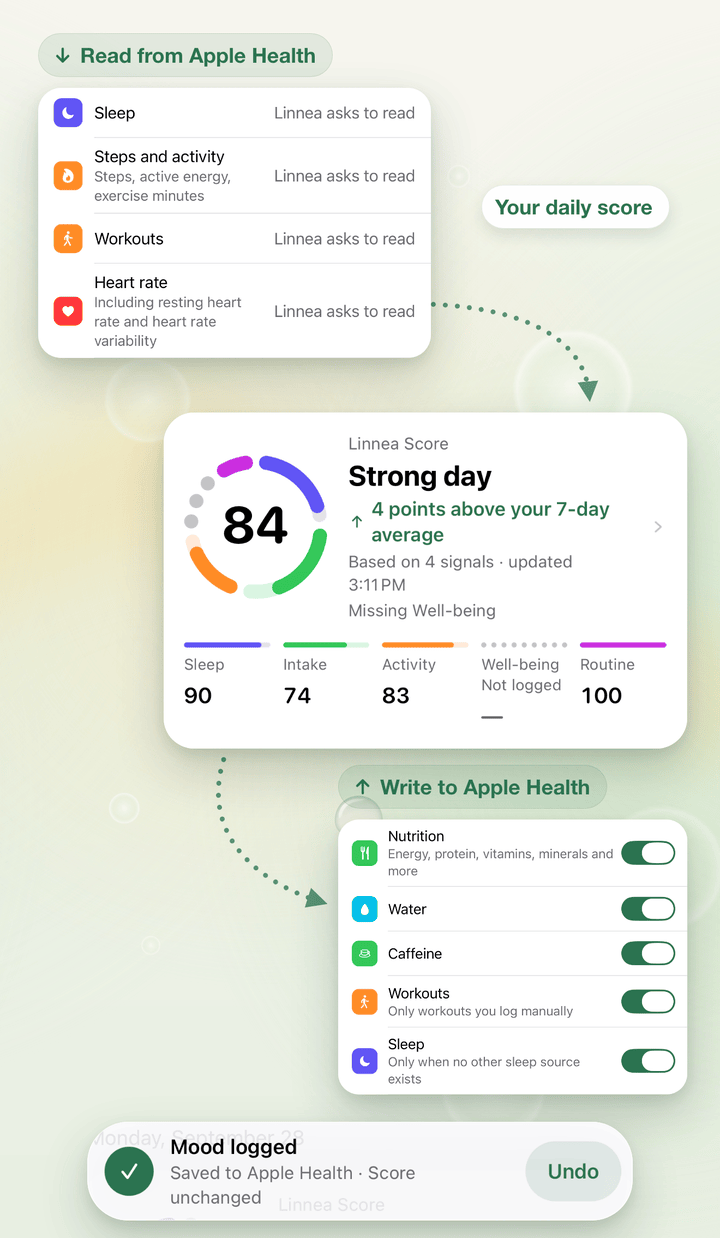
Linnea reads your sleep, activity and heart data, combines it with what you log into one daily score, and saves meals, water, workouts, sleep, mood, symptoms and vitals back to Apple Health. On Android, Linnea reads sleep, steps, workouts and heart rate from Health Connect, and saves meals, water, workouts, sleep, weight, blood pressure, blood glucose and temperature to it. Edits and deletions stay in sync.
- One Linnea score a day, from sleep, intake, activity, mind and body, and routine
- Tap the score to see what moved it, and set your own goals
- Weekly, monthly and yearly reviews, and Ask Linnea answers from your own entries only
Log from your wrist
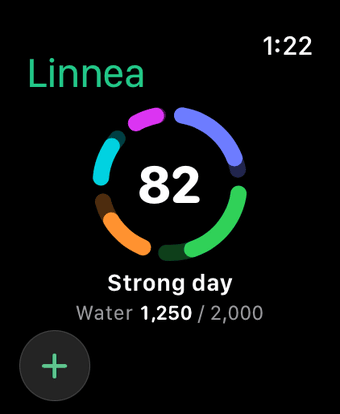
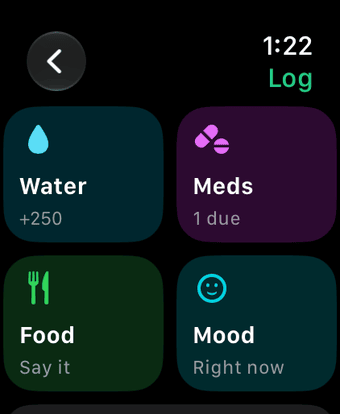
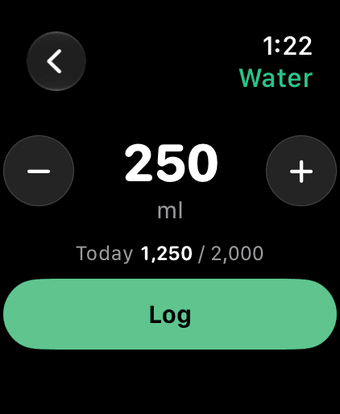
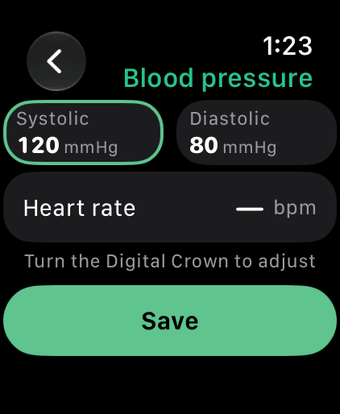
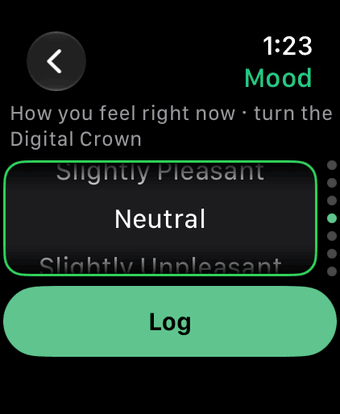
With Linnea on Apple Watch, log water, a meal by voice, mood or blood pressure, and mark a medication as taken. Keep your score on your watch face. The Apple Watch app works with Linnea on iPhone.
Snap a lab report. It’s filed for you.
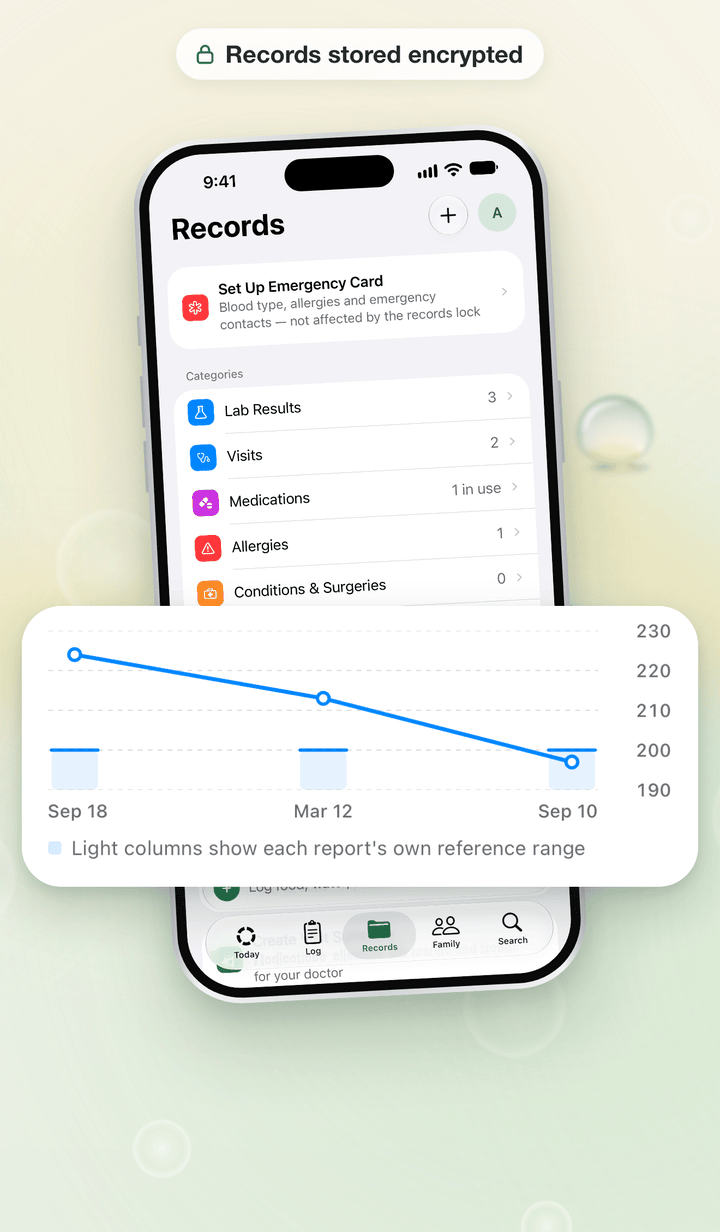
Scan a paper lab report and Linnea reads it on your phone; you check each value before saving. You can also import a PDF. Each test is shown over time with the reference range from the report. Linnea doesn’t interpret results.
- Visits, medications, allergies, conditions, vaccinations, family history and files in one place
- An emergency card, and a visit summary PDF to bring to appointments
- Encrypted on your device before upload. Records are free.
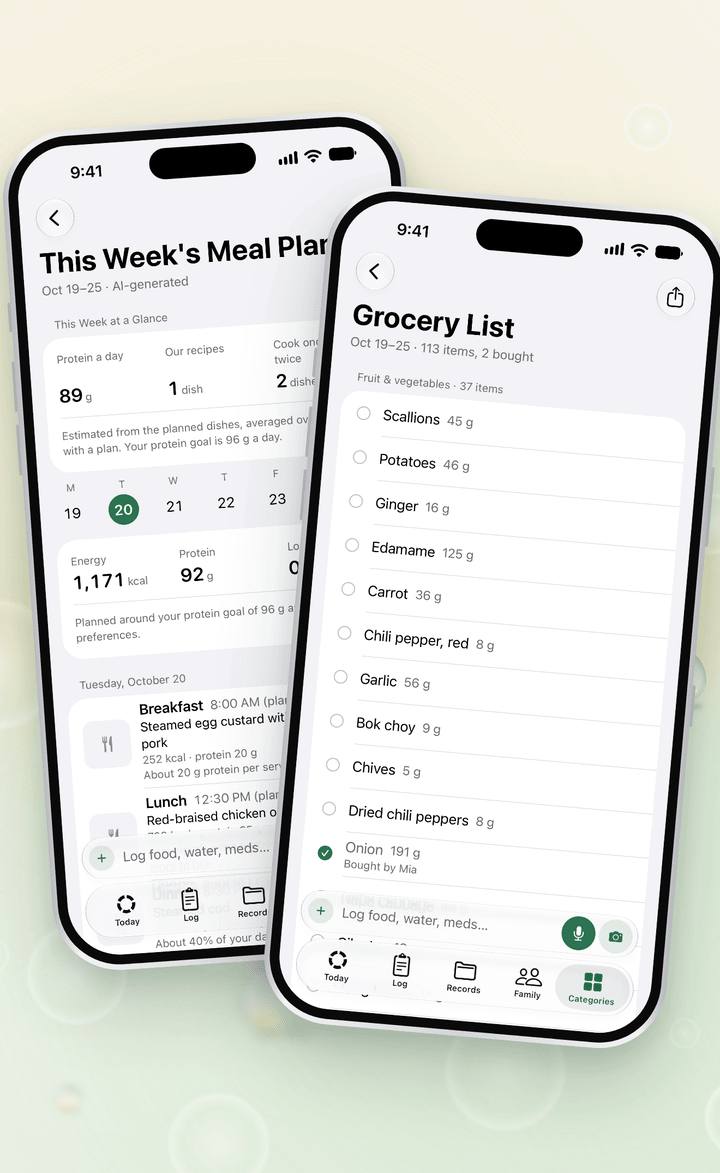
Plan the week, shop once.
This Week’s Meal Plan picks dishes from your own recipes and the Linnea dish library, for the cuisines you eat and the time you have on weekdays. Lock the meals you like and re-plan the rest.
- The grocery list is grouped by aisle, leaves out what you already have at home and can be shared with your family.
- Every Sunday, Plan and Actual shows how the week went.
- Free; with Premium, AI picks among the matching dishes.
Your family’s health, in one place
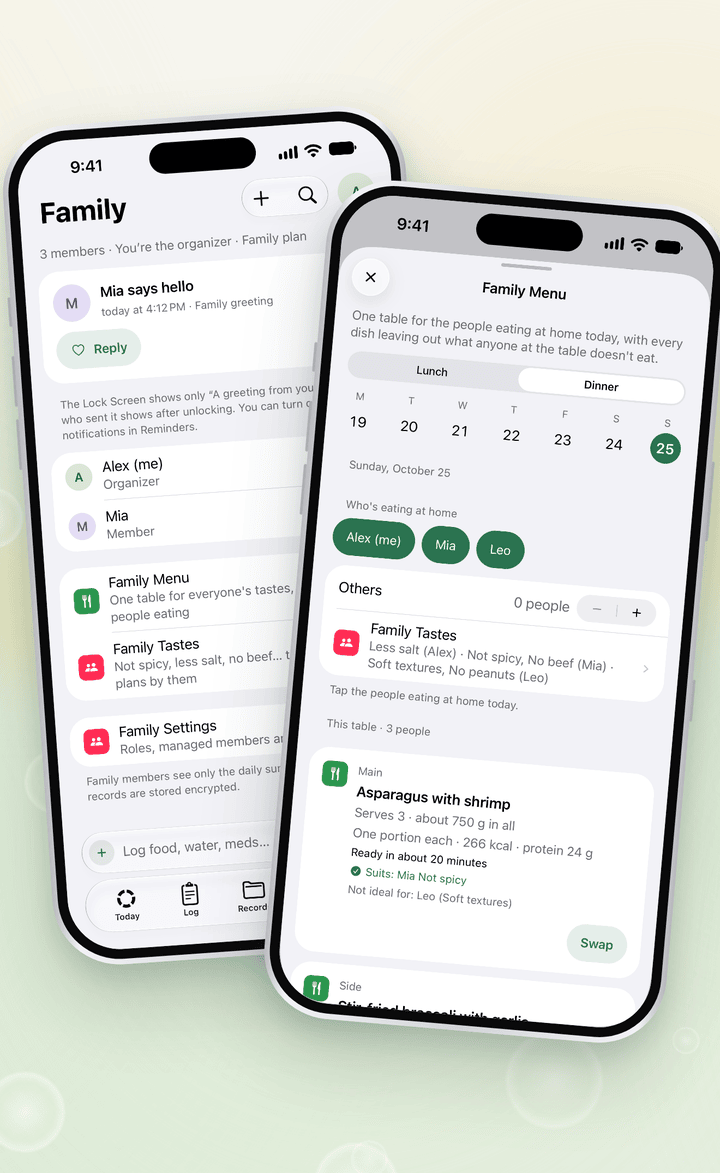
A family has up to 6 people. Members join with their own Linnea account, choose which daily summaries and record folders to share with each person, and can stop at any time. For a child, or a parent without a phone, you keep the log and records.
- With a member’s consent, Linnea tells you when a scheduled medication hasn’t been logged
- What you log for someone else never goes into your own Apple Health or Health Connect
- Family features are free
New in 3.0: the family plan
One yearly subscription covers the members of your Linnea family who have their own account. Each covered member gets Premium. Together you also get the Family Menu, planned around everyone’s tastes, and a weekly family summary written by AI. Everyone keeps their own account and decides what to share, whether they use an iPhone or an Android phone.
The family plan is US$69.99 a year in the United States and CA$99.99 in Canada; the App Store or Google Play shows the price where you live before you subscribe. In each subscription year it can cover up to 10 different accounts besides yours, and the count starts again when it renews.
Raw Apple Health and Health Connect data never leaves your phone.
Only daily summaries are uploaded. Health records are encrypted on your device before upload, and the server stores only encrypted data. Privacy Policy 3.3, effective November 9, 2026, covers the family plan, the family summary written by AI, family links and invitations, and starting without an account.
- Reminders show a fixed message, never a medication name or dose. Widgets and the Lock Screen on iPhone, and notifications on Android, show counts and status only.
- Health details stay out of crash reports and analytics.
- Export your data or delete your account at any time.
Questions
Is Linnea free? What do Premium and the family plan add?
Logging, scores, reminders and saving to Apple Health or Health Connect are free, and so are health records and family features. Linnea Premium raises the limits on AI food logging from text, photos and voice, AI food search, Ask Linnea and AI meal plans, and adds What’s for Dinner, the Family Menu, the AI weekly summary and daily workout ideas. Daily fair-use limits apply. Premium is an auto-renewable monthly or yearly subscription. The family plan is an auto-renewable yearly subscription that covers the members of your Linnea family who have their own account. Each covered member gets Premium through it. Both are charged to your Apple Account or, on Android, to your Google Play account. You’ll see the price in the App Store or Google Play before you subscribe, and you can cancel in your Apple Account settings or in Google Play under Payments & subscriptions.
How does family work?
A family has up to 6 people. Each member joins with their own Linnea account, chooses which daily summaries and record folders to share with each person, and can stop at any time. For a child, or a parent without a phone, you keep the log and records yourself. With a member’s consent, Linnea tells you when a scheduled medication hasn’t been logged. Family features are free. The family plan, new in 3.0, is a separate yearly subscription: it covers the members who have their own account, managed members count toward the 6, and it doesn’t let anyone see another person’s logs.
Do I need an account?
Not to start. Without an account you can log meals, use AI recognition within the free daily limit, set reminders and connect Apple Health or Health Connect. Sign in later and what you logged comes with you. Sending a family link, joining a family and the family plan need an account.
Someone sent me a Linnea link for a meal. What happens?
Open it on your phone. The page shows who sent it, which meal it was and the dish names. Get Linnea, then come back to the page and tap “Have Linnea? Open It”, or enter the invite code from the page on Linnea’s first screen, and your own portion is saved in Linnea. You don’t need an account. A link works for 7 days and can be claimed once.
Are my health records encrypted?
Yes. Records are encrypted on your device before upload, and the server stores only encrypted data. Lab reports you scan are read on your phone, and you check each value before saving. Separately, raw Apple Health and Health Connect data never leaves your phone; only daily summaries are uploaded.
Is Linnea a medical device?
No. Linnea is not a medical device and does not give medical advice. It doesn’t diagnose or recommend treatment, and it never suggests changing a medication or dose. Lab results appear with the reference range printed on your report, and Linnea doesn’t interpret them.
What do I need?
An iPhone with iOS 18 or later, or an Android phone with Android 9 or later. Linnea for Apple Watch is optional and works with your iPhone. On Android, Linnea connects to Health Connect in place of Apple Health; it is built into Android 14 and later, and on earlier versions you install it from Google Play. Linnea is available in English, Simplified Chinese, Traditional Chinese, Japanese, Korean, French and Spanish.
Note every day. Look after your family.
Linnea is not a medical device and does not give medical advice. It doesn’t diagnose or recommend treatment, and it never suggests changing a medication or dose.
Apple, the Apple logo, Apple Watch, iPhone and Siri are trademarks of Apple Inc., registered in the U.S. and other countries and regions. App Store is a service mark of Apple Inc. The trademark “iPhone” is used with a license from Aiphone K.K.
Android, Google Play and the Google Play logo are trademarks of Google LLC.